I'll review this translation carefully against the English source, checking for naturalness, grammar, hyperlink wrapping, paragraph order, and image src attributes.
**Key issues found:**
1. The `![]() ` `src` attributes in the translation differ from the English source — I must preserve them exactly as in the translation (the instruction says preserve all tags/attributes; the translation's srcs are the production URLs, which is correct for the locale).
2. The hyperlink in the first paragraph wraps "Tempo libero personale" — in English it wraps "Personal Time Off". This is acceptable as the translated term.
3. "sulla tela" is a literal translation of "on the canvas" — in Italian, referring to a UI canvas as "tela" sounds odd; "nell'area di lavoro" or "nell'area" would be more natural, but "canvas" in UI context is sometimes kept. However, "tela" (painter's canvas) sounds too literal. A more natural phrasing would be "nell'area grafica" or simply "nell'area". I'll use "nell'area" as it's clear and natural.
4. "Vista Sequenza temporale" — consistent throughout, good.
5. The infinitive headings ("Aggiungere", "Modificare") are fine for Italian help docs.
6. "in un punto qualsiasi della tela" → "in un punto qualsiasi dell'area" sounds more natural.
7. Overall tone is good and consistent.
` `src` attributes in the translation differ from the English source — I must preserve them exactly as in the translation (the instruction says preserve all tags/attributes; the translation's srcs are the production URLs, which is correct for the locale).
2. The hyperlink in the first paragraph wraps "Tempo libero personale" — in English it wraps "Personal Time Off". This is acceptable as the translated term.
3. "sulla tela" is a literal translation of "on the canvas" — in Italian, referring to a UI canvas as "tela" sounds odd; "nell'area di lavoro" or "nell'area" would be more natural, but "canvas" in UI context is sometimes kept. However, "tela" (painter's canvas) sounds too literal. A more natural phrasing would be "nell'area grafica" or simply "nell'area". I'll use "nell'area" as it's clear and natural.
4. "Vista Sequenza temporale" — consistent throughout, good.
5. The infinitive headings ("Aggiungere", "Modificare") are fine for Italian help docs.
6. "in un punto qualsiasi della tela" → "in un punto qualsiasi dell'area" sounds more natural.
7. Overall tone is good and consistent.
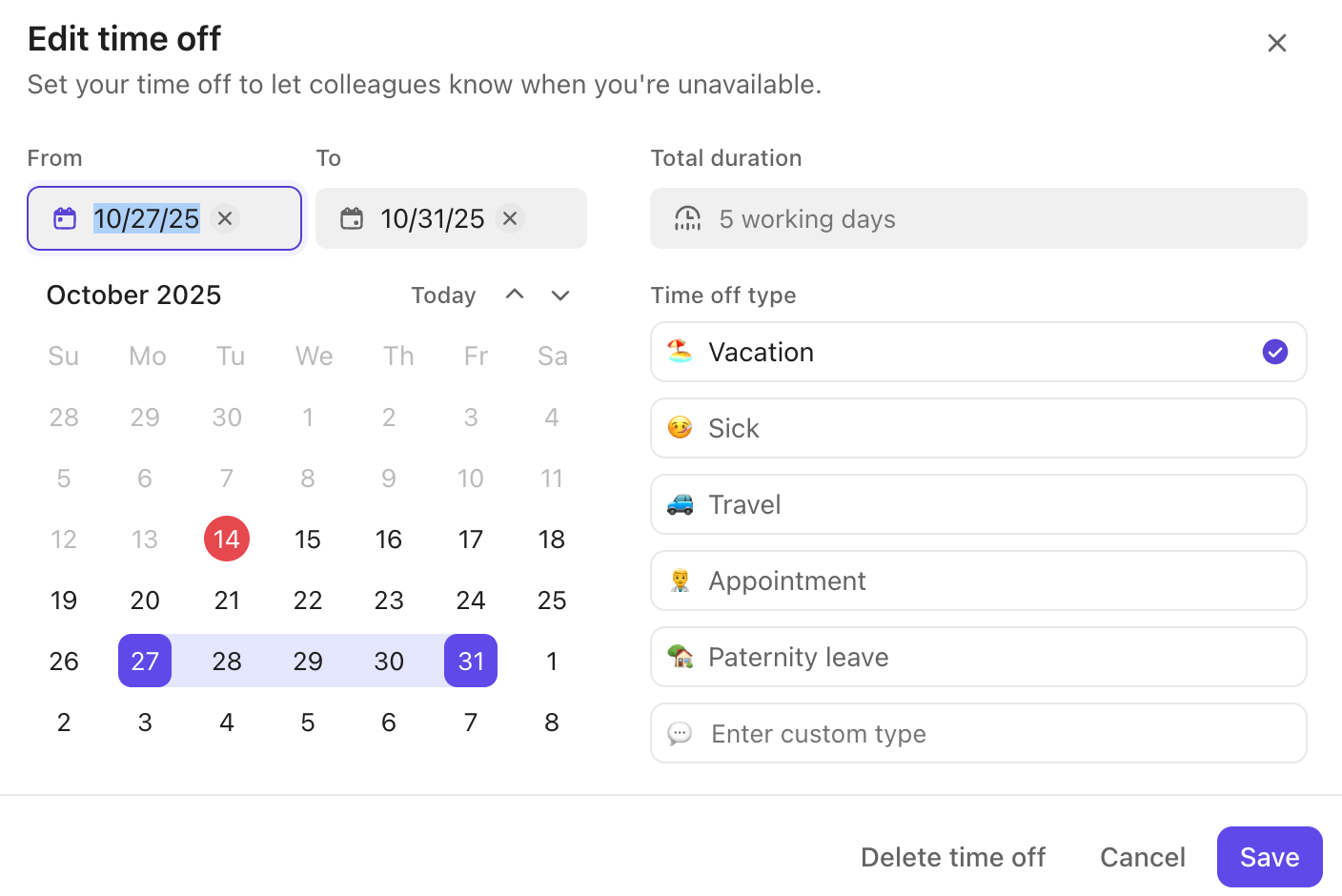
Visualizza, aggiungi e modifica il Tempo libero personale dalla Vista Sequenza temporale per vedere la disponibilità e assicurarti che le attività rimangano nei tempi previsti.
La disponibilità delle funzionalità e i limiti variano in base al piano e al ruolo dell'utente. Scopri di più
Le viste Sequenza temporale mostrano il tempo libero come blocchi grigi nell'area.
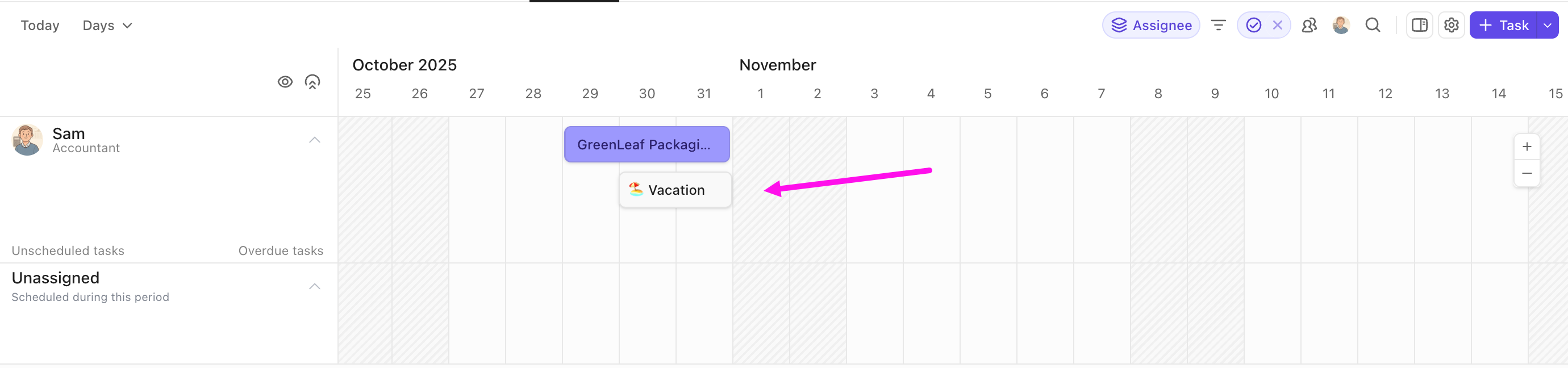
Aggiungere il tempo libero
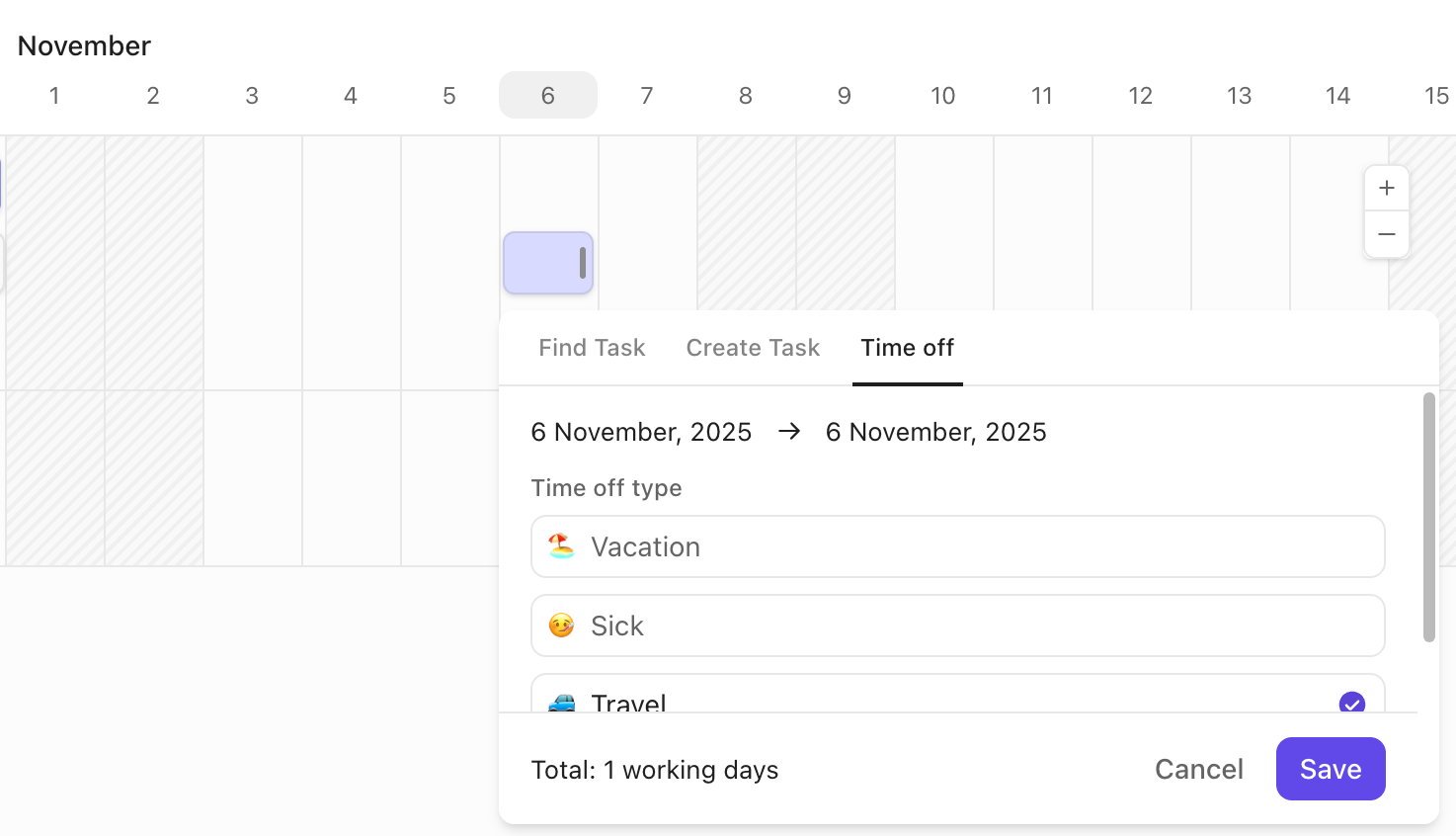
Per aggiungere il tempo libero personale dalla Vista Sequenza temporale:
- Fai clic in un punto qualsiasi dell'area per creare un nuovo elemento.
- Fai clic sulla scheda Tempo libero.
- Imposta i dettagli del tempo libero.
- Fai clic su Aggiungi tempo libero.
Modificare il tempo libero
Per modificare il tempo libero personale dalla Vista Sequenza temporale:
- Fai clic su una voce di tempo libero esistente.
- Modifica i dettagli del tempo libero.
- Fai clic su Salva.